Course Catalog
To manage your course catalog:
- Go to Staff and Resource Management.
- Select Area Tools.
- Choose Course Catalog.
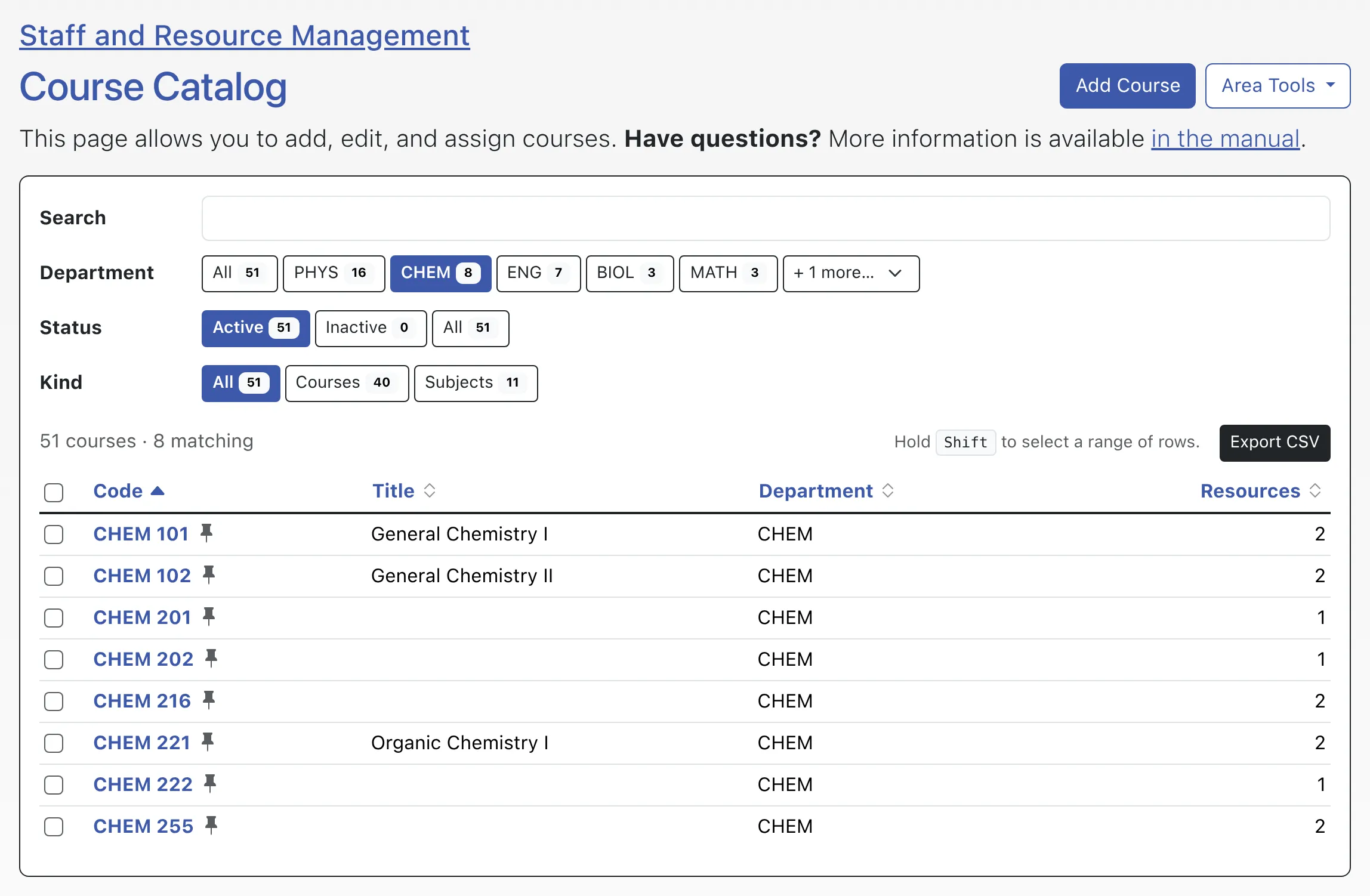
Notice the various features that allow you to manage your Course Catalog, which includes all imported courses as well as courses and subjects/non-courses you add manually.
In addition to the search bar at the top of the catalog, you can filter entries by department, status, and kind.
“Status” refers to whether courses are active or inactive. Automatically, a new import of courses will replace all current courses in the course catalog and make prior courses inactive. (This is desired as a new import of courses would be the most current at the time.) However, if you would like a course to remain in “active” status, you can “pin” the course in your Course Catalog.
Admins may want to merge duplicate courses after this upgrade, which will consolidate their “focuses” in the Course Catalog. In the Course Catalog, navigate to Area Tools and Find Duplicate Courses, then choose Merge beside a group of duplicates. This will primarily apply to sites with a long history of schedules and staff members.