Other Import Types
To explore the other import and export types available:
- Go to Global System Settings.
- Select Area Tools.
- Choose Import & Export Data.
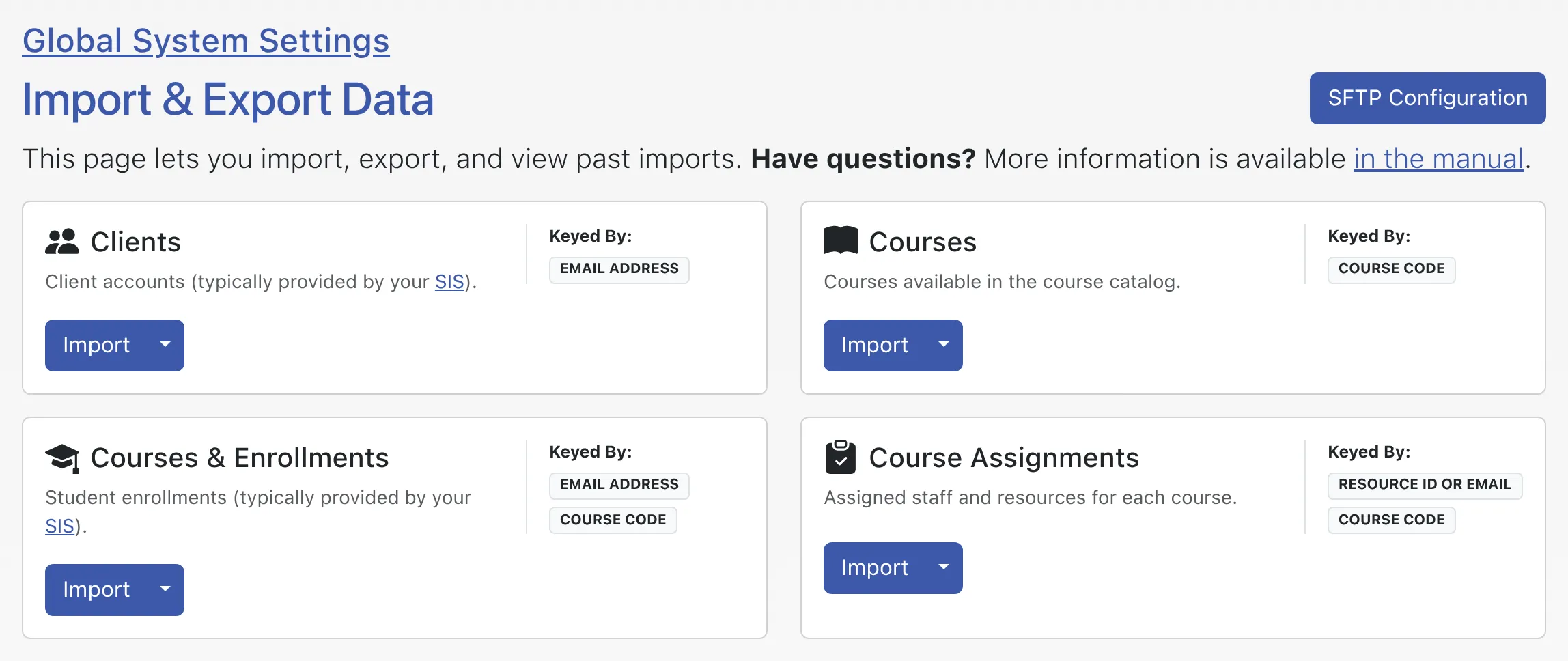
Import Clients (Manual or Automated)
Section titled “Import Clients (Manual or Automated)”This import allows you to create and update accounts for students in WCONLINE. First name, last name, and email address are required for this import, and you can also upload or map any other data points about students that are on your registration form, such as graduation year or major.
Import Clients can also be used to update student demographic information attached to their existing profile in WCONLINE and keep it current, such as graduation year.
This import can be manual or automated. If automated, it can be paired with the automated (SFTP) course import. This would mean that your IT team passes one file for creating or updating profiles (client import) and another for mapping courses to those newly created or updated student profiles in WCONLINE (course enrollment import).
Follow these instructions to format your client data for mass import: Import Clients
Import Courses (Manual or Automated)
Section titled “Import Courses (Manual or Automated)”You may only want to upload a course list from your college course catalog and then manually assign courses to staff members within WCONLINE. A list of course codes is required for this import. Below is a sample of columns for the CSV manual upload.
- Course Code is required, for example BIO 212.
- Course Title and Department are recommended but optional.
- Kind is optional and refers to whether you are importing an actual course or a generic subject such as Resume Writing. For a subject, enter its name (for example, Resume Writing) as the Course Code.
| Course Code | Course Title | Department | Kind |
|---|---|---|---|
| ENGL 101 | Composition I | ENGL | Course |
| MATH 120 | College Algebra | MATH | Course |
| Resume Writing | Subject |
Course Code,Course Title,Department,KindENGL 101,Composition I,ENGL,CourseMATH 120,College Algebra,MATH,CourseResume Writing,,,SubjectStaff and Their Assigned Courses (Manual)
Section titled “Staff and Their Assigned Courses (Manual)”Upload a CSV file with both tutors and their tutoring assignments to more easily assign courses to tutors in WCONLINE. The results will populate with each staff profile in Staff and Resource Management. The required columns for this import are Resource ID and Course Code. You can leave Resource ID blank and enter the staff member’s email address in the Staff Email column instead. Each row of the CSV would be a single course code associated with a particular staff member. If staff serve multiple courses, each row should list their email and then a new course pairing. This can also include non-courses such as Time Management and Study Skills.
If you already have existing courses assigned to staff members who are returning, you can export assigned courses from your site, modify those courses, and import them back into the site. In this case, the system will export each row of the CSV with a “resource ID” tied to each staff member. In order to export existing staff assigned courses, navigate to Global System Settings > Area Tools > Import & Export Data > Course Assignments > Export (from the drop down menu).
| Resource ID | Staff Email | Course Code |
|---|---|---|
| sc5f2a91c4e7b30 | ENGL 101 | |
| jtutor@example.edu | MATH 120 | |
| jtutor@example.edu | Time Management |
Resource ID,Staff Email,Course Codesc5f2a91c4e7b30,,ENGL 101,jtutor@example.edu,MATH 120,jtutor@example.edu,Time Management