Assign Resources to Courses
Another way to assign courses to staff members is to go directly to the course catalog instead of the staff member’s profile.
- Go to Staff and Resource Management
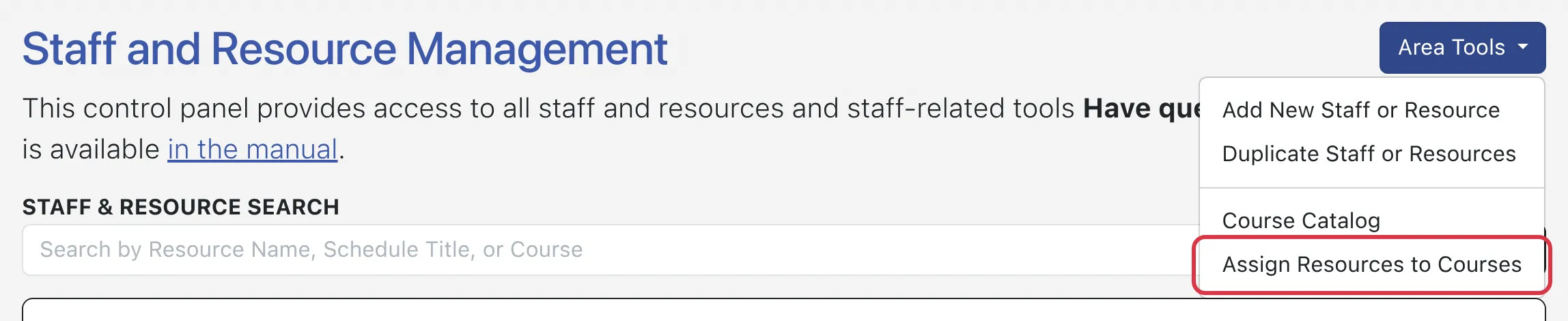
- Select Area Tools
- Choose Assign Resources to Courses.
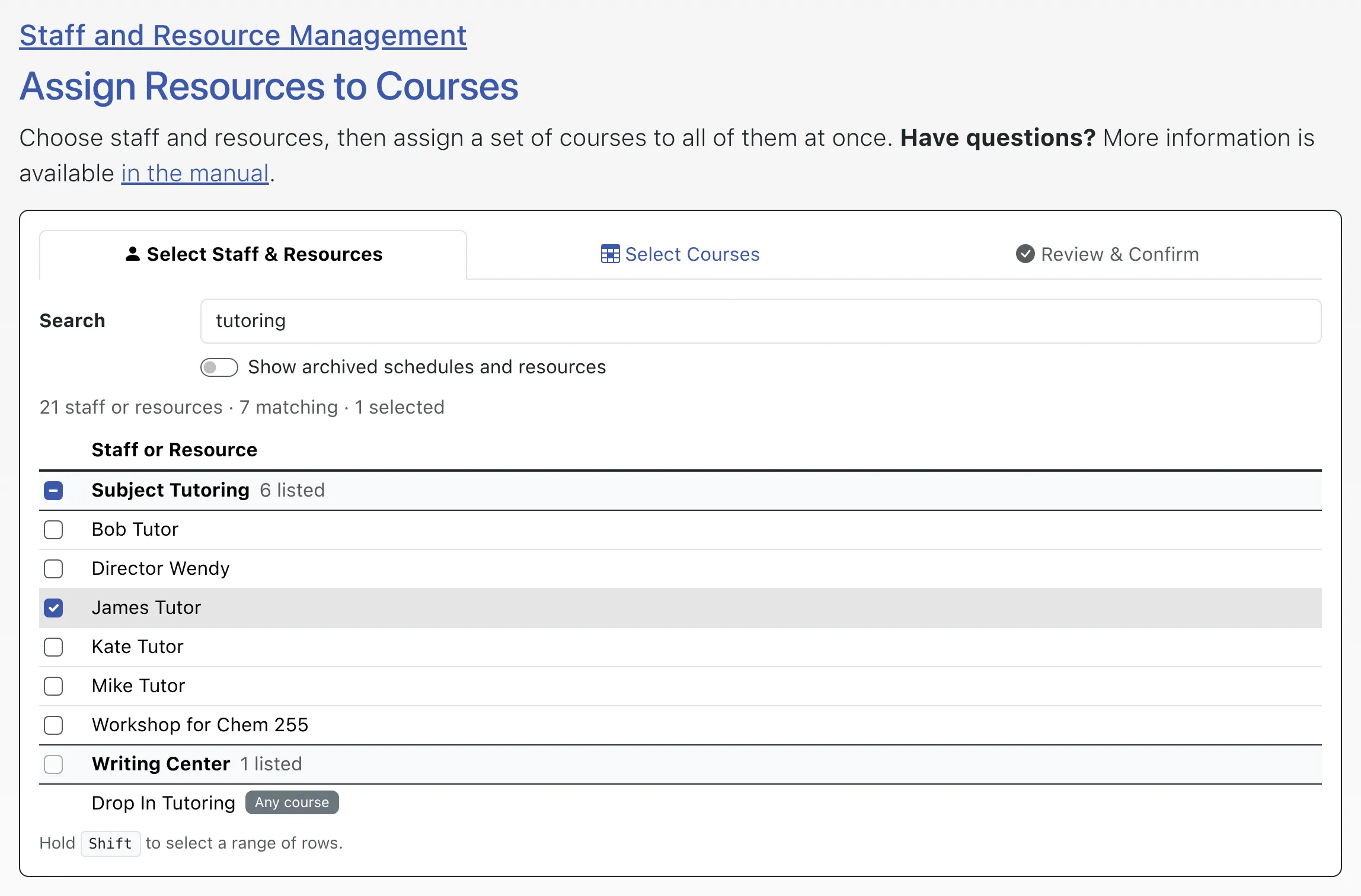
- Select the staff member or members you would like to assign courses to.
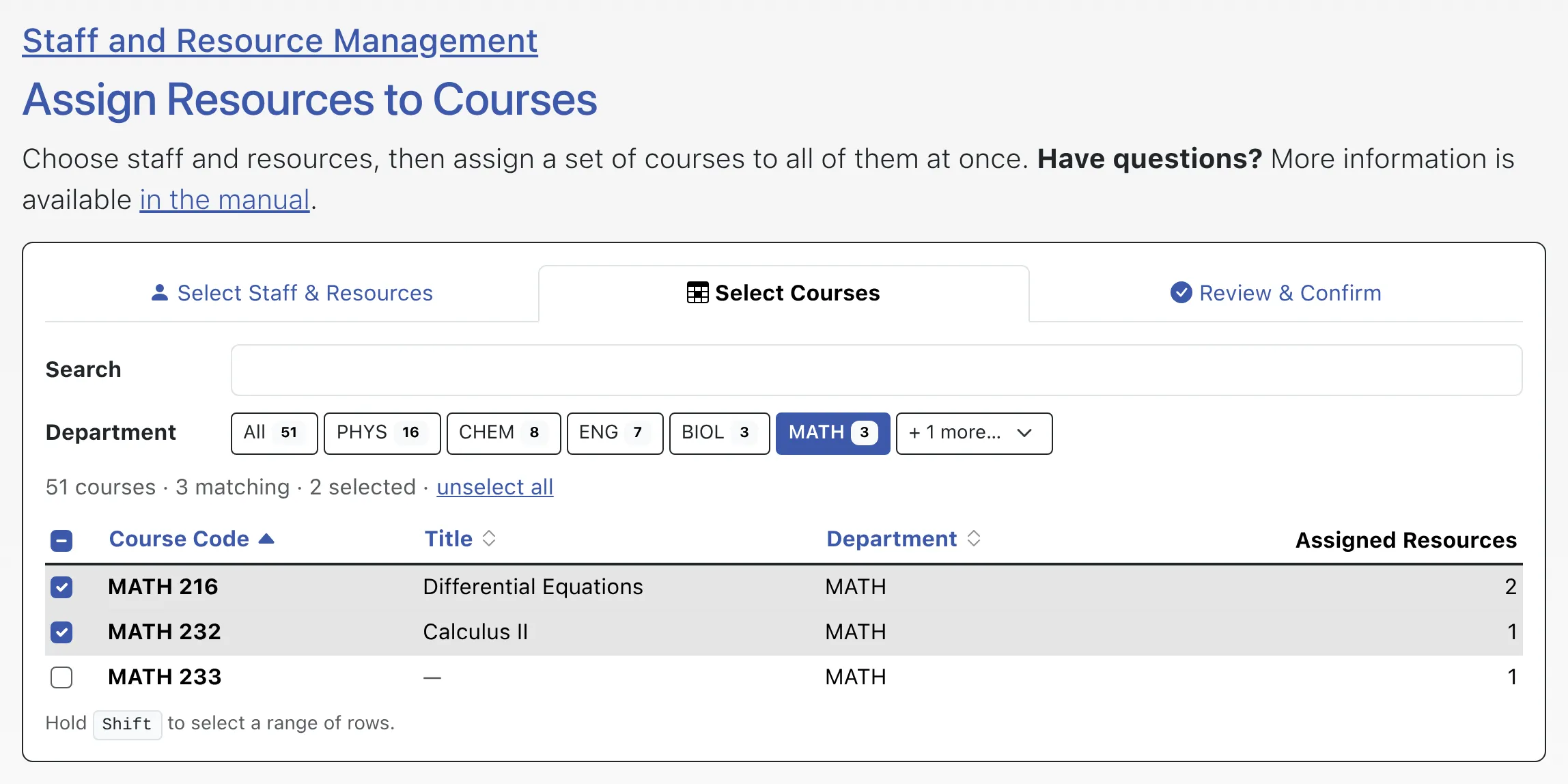
- Select the courses to assign to the selected staff member(s). You can filter by department to narrow down your results.
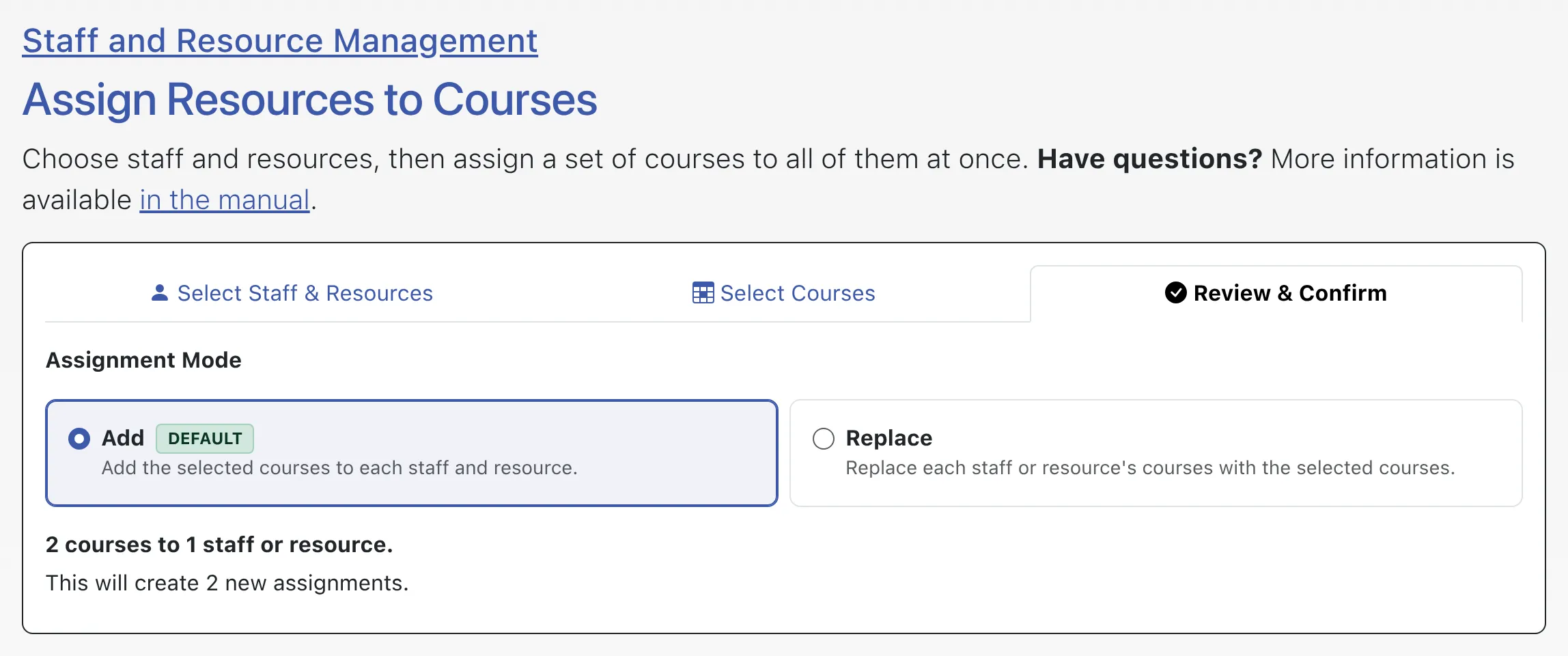
- Decide whether to add the selected courses to the staff profile (which is generally what you need when assigning courses to a staff member for the first time) or to replace the existing courses on their profile.